
Help & Getting Started
Everything you need to get going with Kari.
What is Kari?
Kari is an app for families, flatmates, and anyone who cooks together. You collect recipes, plan your week, build shopping lists, and keep an eye on your freezer — all in one place, together and simple.
The core idea of Kari
Kari is more than a recipe collection. It is a complete workflow for everyday cooking — from recipe to shopping:
- 📥Recipes in one place — Import from websites, TikTok, Instagram, or scan a cookbook.
- 📅Weekly plan — Assign recipes to specific days and stay in control.
- 🛒Shopping list — All ingredients land on your shopping list with a single tap.
- 🧊Freezer & leftovers — Save leftovers, get reminders in time, and stop wasting food.
- 🔗Share recipes — Share recipes with family or friends — even if they don't have Kari yet.
How to get started
- 1Create your family or group
Download Kari, sign up, and create a family or group. Invite other members — everyone can add recipes and edit the plan. - 2Add your first recipes
Import recipes from websites or social media, or scan a page from your favorite cookbook. The more recipes you have, the more useful the weekly plan becomes. - 3Plan your week
Drag recipes into the weekly plan, add side dishes, and copy all ingredients to the shopping list with one tap. - 4Cook and organize leftovers
After cooking, save any leftovers directly to the freezer. Kari reminds you when they should be used.
Import recipes
With Kari, you can import recipes from social media, Cookidoo, or the web. Share a recipe directly from TikTok, Instagram, YouTube, Facebook, or Cookidoo to Kari, paste a website link, or capture a recipe from a cookbook photo.
Share directly — use the share menu in TikTok, Instagram, YouTube, Facebook, Cookidoo, or your browser and choose Kari.
Paste a website link — copy a recipe page URL and paste it into Kari.
Photo / scan — take a photo or upload an image of a cookbook page or recipe sheet. Kari recognizes the text automatically.
Create manually — if you prefer, write your own recipe from scratch.
Import recipes directly from Instagram, TikTok, Facebook, YouTube or the web
You can send recipe posts and videos directly from Instagram, TikTok, Facebook, YouTube, and many other apps to Kari. Kari takes the content and tries to build a structured recipe with ingredients and steps.
The import works best when ingredients and instructions are in the caption, post text, video description, or on a linked recipe page. If recipe text is missing, Kari still tries to extract as much as possible from the post, video, or link.
If an import fails, you can paste the link directly into Kari, import the caption as text, use a screenshot or photo, or create the recipe manually.
- 1Open the post and tap Share
Open the recipe post in Instagram, TikTok, Facebook, or YouTube and tap the share icon.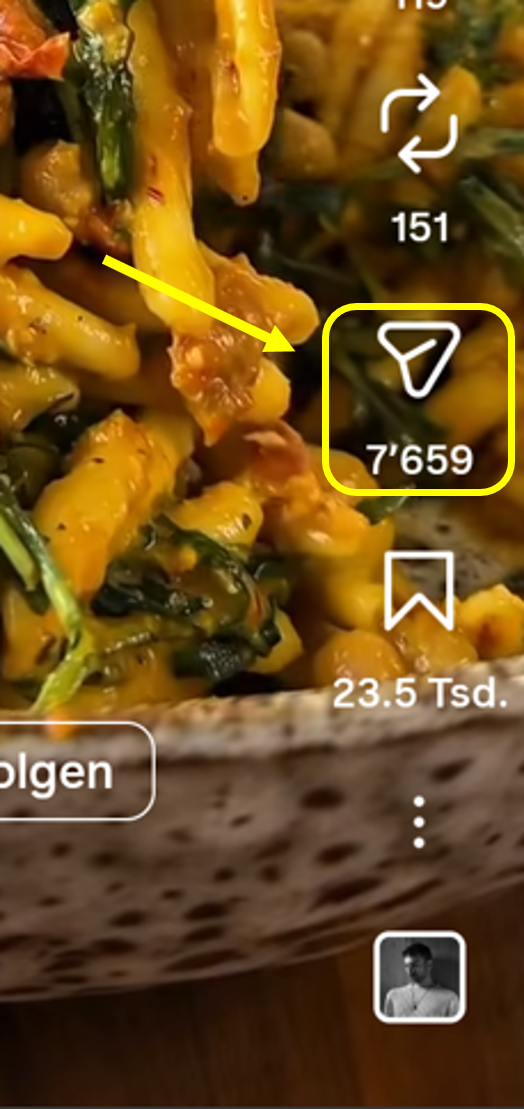
- 2Open more share options
Tap Share or More to open the full list of apps.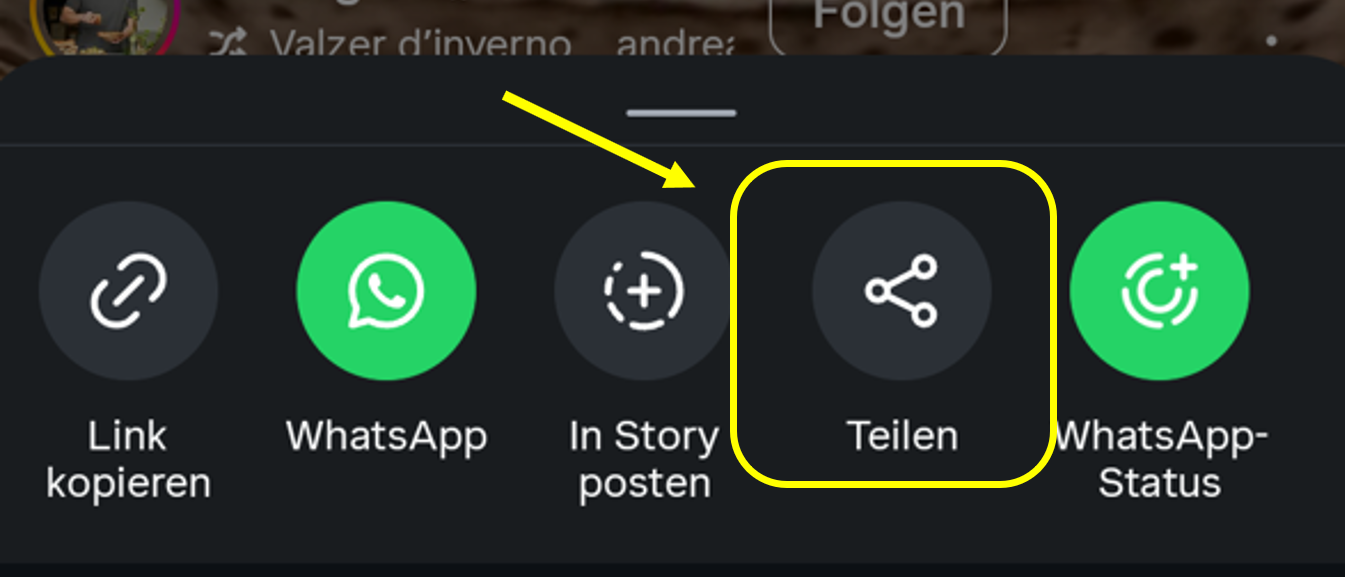
- 3Choose Kari
Pick Kari from the list of apps. Kari will then open and start the recipe import automatically.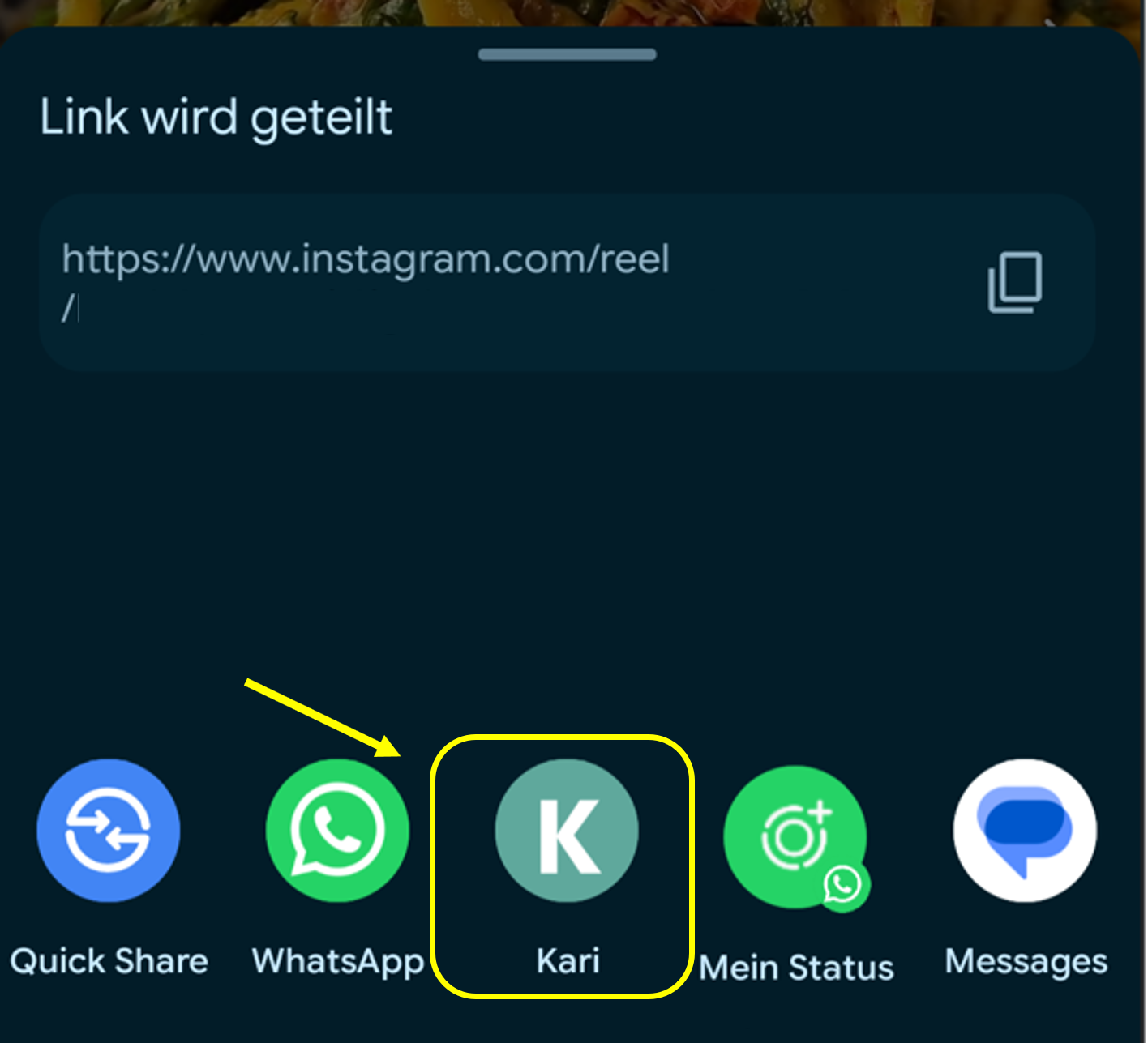
If Kari doesn't appear in the share list, open the more share options via More and look for Kari there. On some devices you have to add Kari to your favorites once. Also make sure Kari is installed and up to date.
Why does the import take a moment?
An import usually takes 10–15 seconds. In the background, an AI analyzes the content and structures ingredients, steps, and other details automatically.
Sometimes it doesn't work on the first try — just try again. With tricky sources (e.g. handwritten photos), it may take a bit longer.
Weekly plan
The weekly plan is the heart of Kari. Pick dishes from your collection for lunch or dinner and get an overview of the whole week. Planning and shopping become easier — especially when several people share the cooking.
Every member of your family or group can create recipes and update the weekly plan.
For each slot you can also add individual side dishes, a starter, or a dessert. This lets you plan complete menus in one place — handy when guests are coming.
With one tap, all required ingredients are added to the shopping list. Anything you don't need can be removed from there.
Shopping list
The shopping list is built automatically from your weekly plan. All ingredients are shown grouped so you can shop quickly. Tick off what's in the cart and remove things you already have at home.
If you assign categories to ingredients (e.g. vegetables, dairy), they are automatically sorted on the shopping list — saving time at the store.
Freezer & leftovers
If something is left over after cooking, you can save it to the freezer with one tap. Kari reminds you in time when the food should be used — so nothing goes bad and you always know what's there.
Share recipes
Want to share a recipe with someone? No problem. You can send recipes to other Kari users or create a link that even people without the app can open.
Whoever opens the link sees the recipe directly in the browser. To save it to their own collection, they need the Kari app.
Frequently asked questions
Is Kari free?
Kari is free to start. The free plan includes 5 recipe imports per month per family/household.
What does Kari Pro include?
Kari Pro unlocks unlimited recipe imports for your family/household. Pro subscription details are shown in the app before purchase.
How does a shared recipe work?
When someone shares a recipe with you via link, you can view it here in the browser. To save it to your own collection, download the Kari app.
The shared link doesn't work?
Shared links are time-limited. If a link has expired or been revoked, the recipe is no longer available. Ask the person who shared it to create a new link.
Can multiple people edit the weekly plan?
Yes. Every member of your family or group can create recipes, update the weekly plan, and change entries. Everyone always sees the latest state.
How do I import a recipe from TikTok or Instagram?
Open the video or post in the respective app, tap Share, and choose Kari from the list of apps. The import starts automatically.
My import didn't work — what now?
Sometimes an import fails on the first try. Just try again. With particularly complex sources (e.g. handwritten recipes), recognition can be harder.
Which devices are supported?
Kari is currently live on Android through Google Play. iOS is not yet available. Shared recipes can also be viewed in the browser.